
wsdjeg/tasks.nvim
 github
 25
25
 1
1
 1
1
 0
0
tasks.nvim
tasks.nvim is a task manager for Neovim, inspired by VSCode's tasks system.
It provides a unified interface to define, discover, and run tasks —
whether they are project-local build commands, global shell scripts,
or automatically detected tasks from package.json.
Tasks are defined in simple TOML files, support VSCode-style variable expansion,
OS-specific overrides, problem matchers for quickfix integration,
and can be launched via built-in commands, telescope.nvim, or picker.nvim.






- ✨ Features
- 📦 Installation
- 🔧 Configuration
- ⚙️ Basic Usage
- 📝 Custom Tasks
- 🔍 Task Problems Matcher
- 🔎 Task Auto-detection
- 🔌 Task Provider
- 🐛 Debug
- 📣 Self-Promotion
- 💬 Feedback
- 🙏 Credits
- 📄 License
✨ Features
- Define tasks in simple TOML configuration files
- Global (
~/.tasks.toml) and project-local (.tasks.toml) task files - VSCode-style variable expansion (
${workspaceFolder},${file}, etc.) - OS-specific task overrides (Windows, macOS, Linux)
- Problem matchers with
errorformator custom regexp patterns - Automatic task detection for npm (
package.json) - Extensible task provider API for custom auto-detection
- Integration with telescope.nvim and picker.nvim
- Background task support
- Powered by code-runner.nvim for task execution
📦 Installation
tasks.nvim works with all major Neovim plugin managers.
Using nvim-plug
require('plug').add({
  {
    'wsdjeg/tasks.nvim',
    depends = {
      'wsdjeg/code-runner.nvim',
      'wsdjeg/toml.nvim',
    },
  },
})
Using lazy.nvim
{
  'wsdjeg/tasks.nvim',
  dependencies = {
    'wsdjeg/code-runner.nvim',
    'wsdjeg/toml.nvim',
  },
  config = function()
    require('tasks').setup()
  end,
}
Using packer.nvim
use({
  'wsdjeg/tasks.nvim',
  requires = {
    'wsdjeg/code-runner.nvim',
    'wsdjeg/toml.nvim',
  },
  config = function()
    require('tasks').setup()
  end,
})
Using luarocks
luarocks install tasks.nvim
🔧 Configuration
tasks.nvim works out of the box with sensible defaults. The following example shows all available options:
require('tasks').setup({
  -- Path to the global tasks file, shared across all projects
  global_tasks = '~/.tasks.toml',
  -- Path to the project-local tasks file, relative to workspace root
  local_tasks = '.tasks.toml',
  -- List of built-in task providers to enable
  -- Currently only 'npm' is available
  provider = { 'npm' },
})
There are two kinds of task configuration files by default:
~/.tasks.toml: global tasks configuration, shared across all projects.tasks.toml: project-local tasks configuration
Tasks defined in the global configuration can be overridden by project-local tasks with the same name.
⚙️ Basic Usage
Commands
| Command | Description |
|---|---|
:TasksList |
List all available tasks in a task viewer window |
:TasksEdit |
Open the local tasks configuration file (.tasks.toml) |
:TasksEdit! |
Open the global tasks configuration file (~/.tasks.toml) |
:TasksSelect |
Select a task to run from a menu |
Task Viewer Keybindings
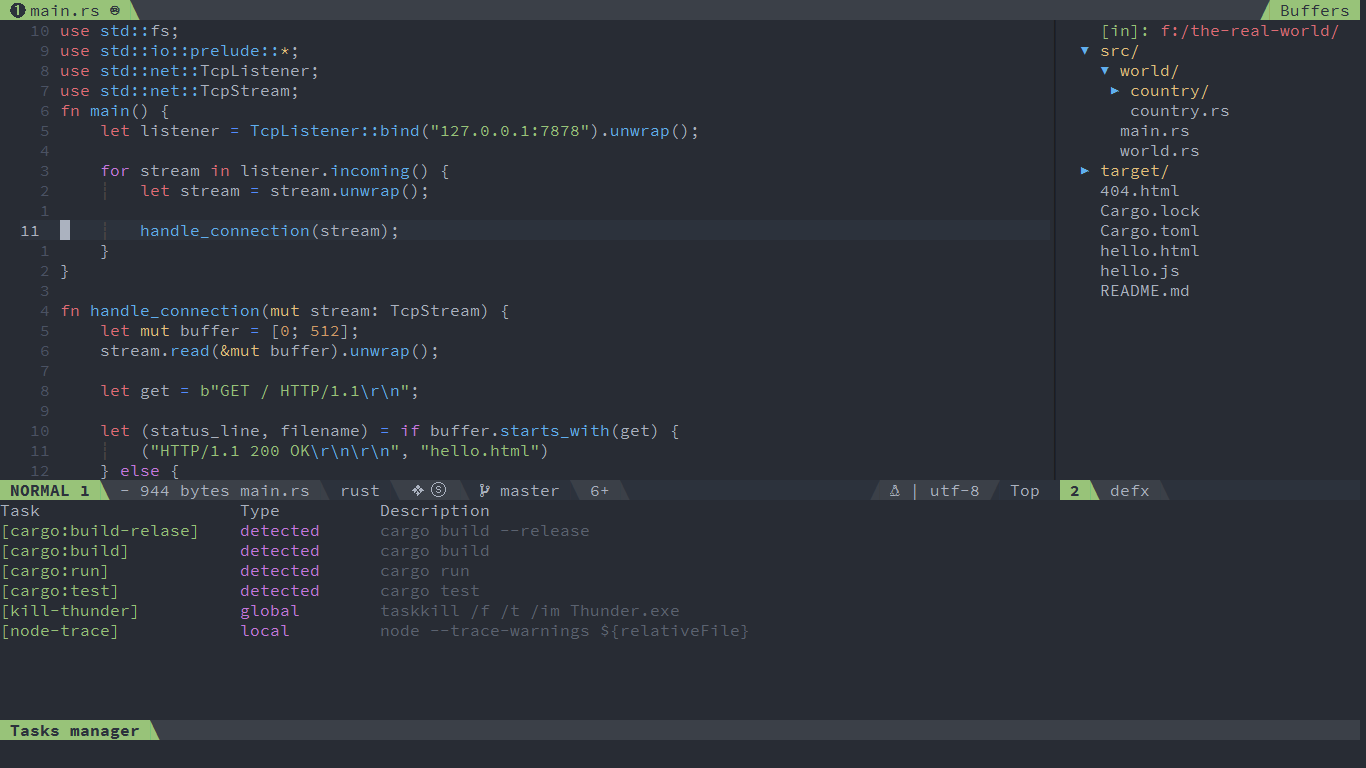
After running :TasksList, a task viewer window opens at the bottom of the screen.
The following keybinding is available:
| Keybinding | Description |
|---|---|
Enter |
Run the task under the cursor |
telescope.nvim extension
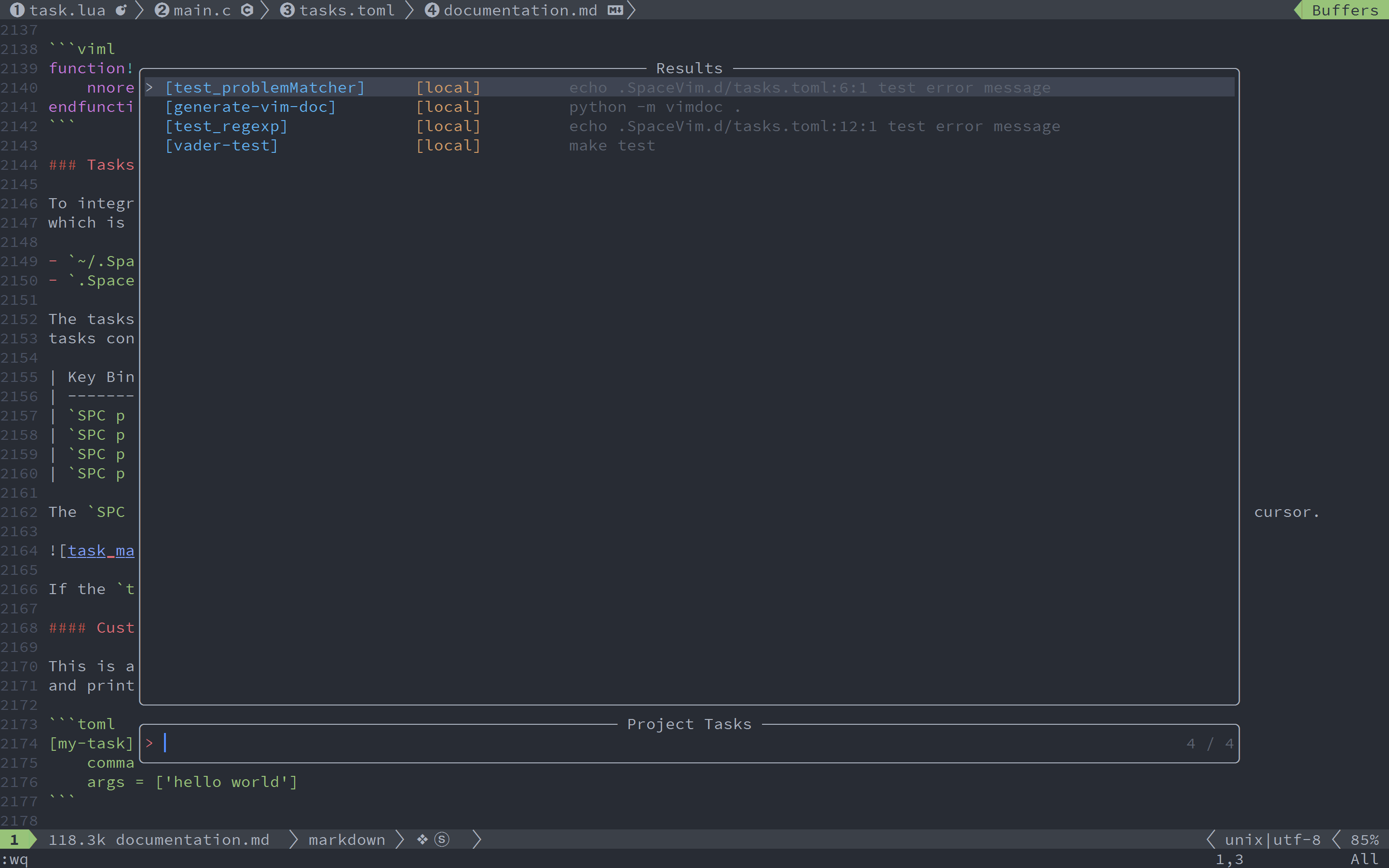
If telescope.nvim is installed,
you can use :Telescope tasks to fuzzy find and run a task:
:Telescope tasks
picker.nvim extension
If picker.nvim is installed,
you can use :Picker tasks to fuzzy find and run a task:
:Picker tasks
📝 Custom Tasks
Tasks are defined in TOML files. Each task is a table with a name and properties.
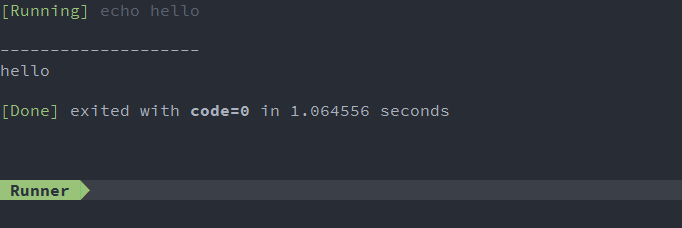
Here is a basic task configuration that runs echo hello world
and prints the result in the runner window:
[my-task]
    command = 'echo'
    args = ['hello world']
To run a task in the background, set isBackground to true:
[my-task]
    command = 'echo'
    args = ['hello world']
    isBackground = true
Note: When a new task is executed, it will kill the previous task.
To keep a task running while launching another, set isBackground = true.
Task Properties
| Name | Description |
|---|---|
command |
The actual command to execute. |
args |
The arguments passed to the command, a list of strings. May be omitted. |
options |
Override the defaults for cwd, env or shell. See Task Options. |
isBackground |
Whether the task should run in the background. Defaults to false. |
description |
Short description of the task, shown in the task viewer and pickers. |
problemMatcher |
Problems matcher of the task. See Task Problems Matcher. |
Variable Expansion
tasks.nvim supports variable substitution in command, args, and options.cwd.
The following predefined variables are supported:
| Name | Description |
|---|---|
${workspaceFolder} |
The project's root directory |
${workspaceFolderBasename} |
The name of current project's root directory |
${file} |
The path of current file |
${relativeFile} |
The current file relative to project root |
${relativeFileDirname} |
The current file's dirname relative to workspaceFolder |
${fileBasename} |
The current file's basename |
${fileBasenameNoExtension} |
The current file's basename without file extension |
${fileDirname} |
The current file's dirname |
${fileExtname} |
The current file's extension |
${cwd} |
The task runner's current working directory on startup |
${lineNumber} |
The current selected line number in the active file |
For example, supposing that you have the following requirements:
A file located at /home/your-username/your-project/folder/file.ext opened in your editor;
The directory /home/your-username/your-project opened as your root workspace.
| Name | Value |
|---|---|
${workspaceFolder} |
/home/your-username/your-project/ |
${workspaceFolderBasename} |
your-project |
${file} |
/home/your-username/your-project/folder/file.ext |
${relativeFile} |
folder/file.ext |
${relativeFileDirname} |
folder/ |
${fileBasename} |
file.ext |
${fileBasenameNoExtension} |
file |
${fileDirname} |
/home/your-username/your-project/folder/ |
${fileExtname} |
.ext |
${lineNumber} |
line number of the cursor |
OS-specific Overrides
Tasks can be customized for specific operating systems.
When a task defines an windows, osx, or linux sub-table,
the matching OS table is merged into the task on that platform.
[build]
    command = 'make'
    args = ['build']

[build.windows]
    command = 'make'
    args = ['build.exe']

[build.osx]
    command = 'make'
    args = ['build-osx']

[build.linux]
    command = 'make'
    args = ['build-linux']
Task Options
The options table allows you to override the working directory,
environment variables, and shell settings for a task:
[test]
    command = 'make'
    args = ['test']

[test.options]
    cwd = '${workspaceFolder}'
    env = { NODE_ENV = 'test', DEBUG = 'true' }
| Option | Description |
|---|---|
cwd |
Working directory for the task. Supports variable expansion. |
env |
Environment variables as key-value pairs. |
shell |
Whether to run the command in a shell. |
🔍 Task Problems Matcher
Problem matchers capture messages from task output and show them as quickfix entries, making it easy to navigate errors.
problemMatcher supports errorformat and pattern properties.
If the errorformat property is not defined, the &errorformat option will be used.
[test_problemMatcher]
    command = "echo"
    args = ['.SpaceVim.d/tasks.toml:6:1 test error message']
    isBackground = true

[test_problemMatcher.problemMatcher]
    useStdout = true
    errorformat = '%f:%l:%c\ %m'
If pattern is defined, the errorformat option will be ignored.
Here is an example using a custom regexp pattern:
[test_regexp]
    command = "echo"
    args = ['.SpaceVim.d/tasks.toml:12:1 test error message']
    isBackground = true

[test_regexp.problemMatcher]
    useStdout = true

[test_regexp.problemMatcher.pattern]
    regexp = '\(.*\):\(\d\+\):\(\d\+\)\s\(\S.*\)'
    file = 1
    line = 2
    column = 3
    #severity = 4
    message = 4
Problem Matcher Properties
| Property | Description |
|---|---|
useStdout |
Whether to parse stdout (true) or stderr (false). |
errorformat |
Vim errorformat string for parsing output. |
pattern |
Custom pattern table. When defined, errorformat is ignored. |
Pattern Properties
| Property | Description |
|---|---|
regexp |
Vim regex pattern to match each line of output. |
file |
Capture group index for the file path. |
line |
Capture group index for the line number. |
column |
Capture group index for the column number. |
severity |
Capture group index for the severity level (optional). |
message |
Capture group index for the error message. |
🔎 Task Auto-detection
tasks.nvim can automatically detect tasks from well-known project files.
Currently, the built-in npm provider parses package.json and creates
a task for each entry in the scripts section.
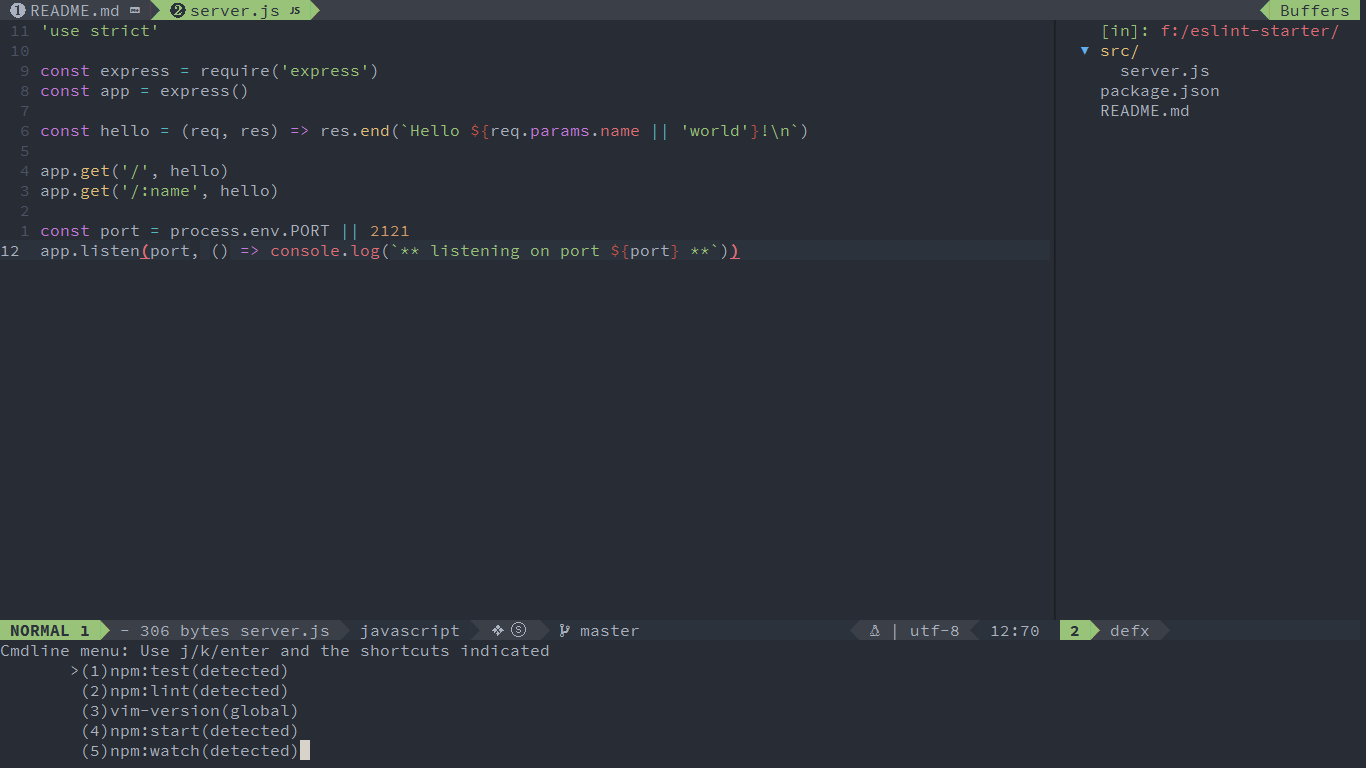
For example, if you have cloned the
eslint-starter project,
running :TasksList shows the following list:
To enable or disable specific providers, configure them in setup():
require('tasks').setup({
  provider = { 'npm' },  -- list of built-in providers to enable
})
🔌 Task Provider
Some tasks can be automatically detected by a task provider.
For example, a task provider could check if there is a Makefile
and create tasks for each make target.
To build a custom task provider, register a function that returns
a table of task definitions using reg_provider():
local tasks = require('tasks')

local function make_tasks()
  if vim.fn.filereadable('Makefile') then
    local subcmds = {}
    local conf = {}
    for _, v in ipairs(vim.fn.readfile('Makefile', '')) do
      if vim.startswith(v, '.PHONY') then
        table.insert(subcmds, v)
      end
    end
    for _, subcmd in ipairs(subcmds) do
      local commands = vim.fn.split(subcmd)
      table.remove(commands, 1)
      for _, cmd in ipairs(commands) do
        conf = vim.tbl_extend('force', conf, {
          [cmd] = {
            command = 'make',
            args = { cmd },
            isDetected = true,
            detectedName = 'make:',
          }
        })
      end
    end
    return conf
  else
    return {}
  end
end

tasks.reg_provider(make_tasks)
With the above configuration, you will see the following tasks:

Detected tasks support the following special properties:
| Property | Description |
|---|---|
isDetected |
Set to true to mark the task as auto-detected. |
detectedName |
Prefix shown before the task name in the viewer/picker. |
🐛 Debug
To enable debug logging, install logger.nvim:
require('plug').add({
  {
    'wsdjeg/tasks.nvim',
    depends = {
      'wsdjeg/code-runner.nvim',
      'wsdjeg/toml.nvim',
      'wsdjeg/logger.nvim',
    },
  },
})
📣 Self-Promotion
Like this plugin? Star the repository on GitHub.
Love this plugin? Follow me on GitHub or Twitter.
💬 Feedback
If you encounter any bugs or have suggestions, please file an issue in the issue tracker.
🙏 Credits
- VSCode Tasks — original inspiration
- telescope.nvim — fuzzy finder integration
- code-runner.nvim — task execution backend
📄 License
Licensed under GPL-3.0.